

Running a successful team requires more than just coaches and athletes. It takes a village.
From the parents coordinating rides to the alumni cheering from afar, your extended community plays a vital role. But keeping everyone in the loop often leads to endless email chains and never ending group texts.
We created the Supporter role to fix this. It brings your biggest fans onto the platform without compromising privacy or focus.
Who fits the supporter role?
Supporters are people who have a vested interest in the team but aren’t logging workouts or setting lineups.
This role is perfect for:
- Parents: They need to know where to be and when.
- Alumni: They want to stay connected to the program’s success.
- Administrators: They need oversight for compliance and safety.
- Fans: They want to follow the team’s journey.
Streamlined access to essential info
The Supporter role balances transparency with privacy. We give them exactly what they need to know—and nothing they don’t.
The Calendar
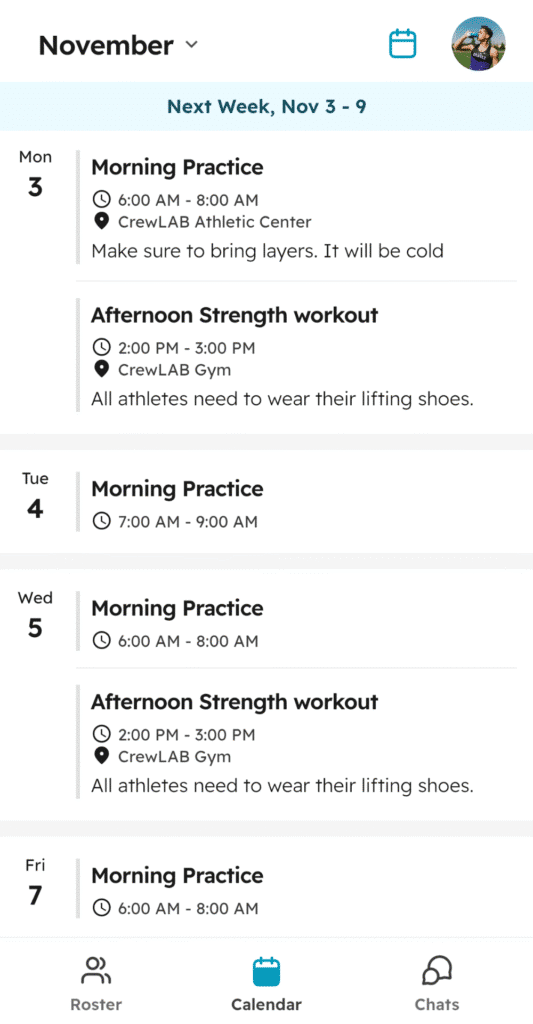
Supporters can view the event name, time, location, and notes. This ensures everyone knows the practice schedule without you sending a single extra message. However, they won’t see attached workouts, specific attendance data, or lineups.
The Roster
They can view a limited version of the team roster to see who is on the team. To protect athlete privacy, Supporters cannot access past activities, performance dashboards, or well-being data.
Communication
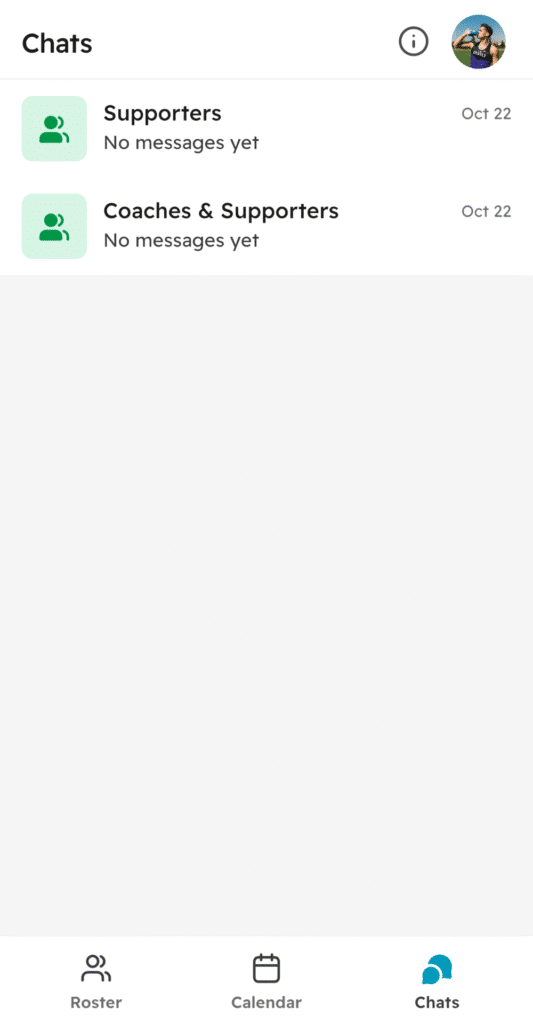
We streamlined messaging to keep chat channels focused. Supporters have access to two specific channels:
- Coaches and Supporters: Great for high-level updates from you.
- Supporters only: A space for parents to organize carpools or social events.
Coaches can add Supporters to new chats, but Supporters cannot start new chats themselves. This keeps your inbox manageable
See our guide on all user roles and permissions.
Why you should add supporters today
Bringing your extended network onto CrewLAB creates a centralized hub for your entire program.
Empower parents
Adding parents ensures communication regarding practice times and locations happens daily and consistently. If you change a venue, the update reflects instantly on their calendar. It requires zero added effort from you.
Engage alumni
Keep your alumni network close. By keeping them updated with easy messaging, you foster relationships for the long haul. An engaged alumni base is crucial for future fundraising efforts or helping athletes find internships.
Pro tip: Retire your recent graduates to the Supporter role so they can provide mentorship for underclassmen.
Simplify administration
Loop in school administrators to alleviate the compliance burden. Giving them visibility into the schedule and roster builds trust and reduces the need for manual reporting.
Expanding the network
Growth is easy. Supporters can only invite other Supporters to the team, helping you build your community.
By utilizing the Supporter role, you turn a scattered group of individuals into a unified support system. You save time, improve communication, and let the village support the team.
Ready to organize your team? Invite your first Supporter today!